Pick the style.The sound is already there.
Tell it which interface you use, run the 40-second SOUNDCHECK and pick a style. The plugin builds the chain Chrys chose for that sound, with NAM-captured pedals and amps, at the right level and never clipping. No engineer vocabulary.
Already bought it? Download it from your account
Mac: VST3, AU and AAX · Windows: VST3 and AAX · Standalone on Mac
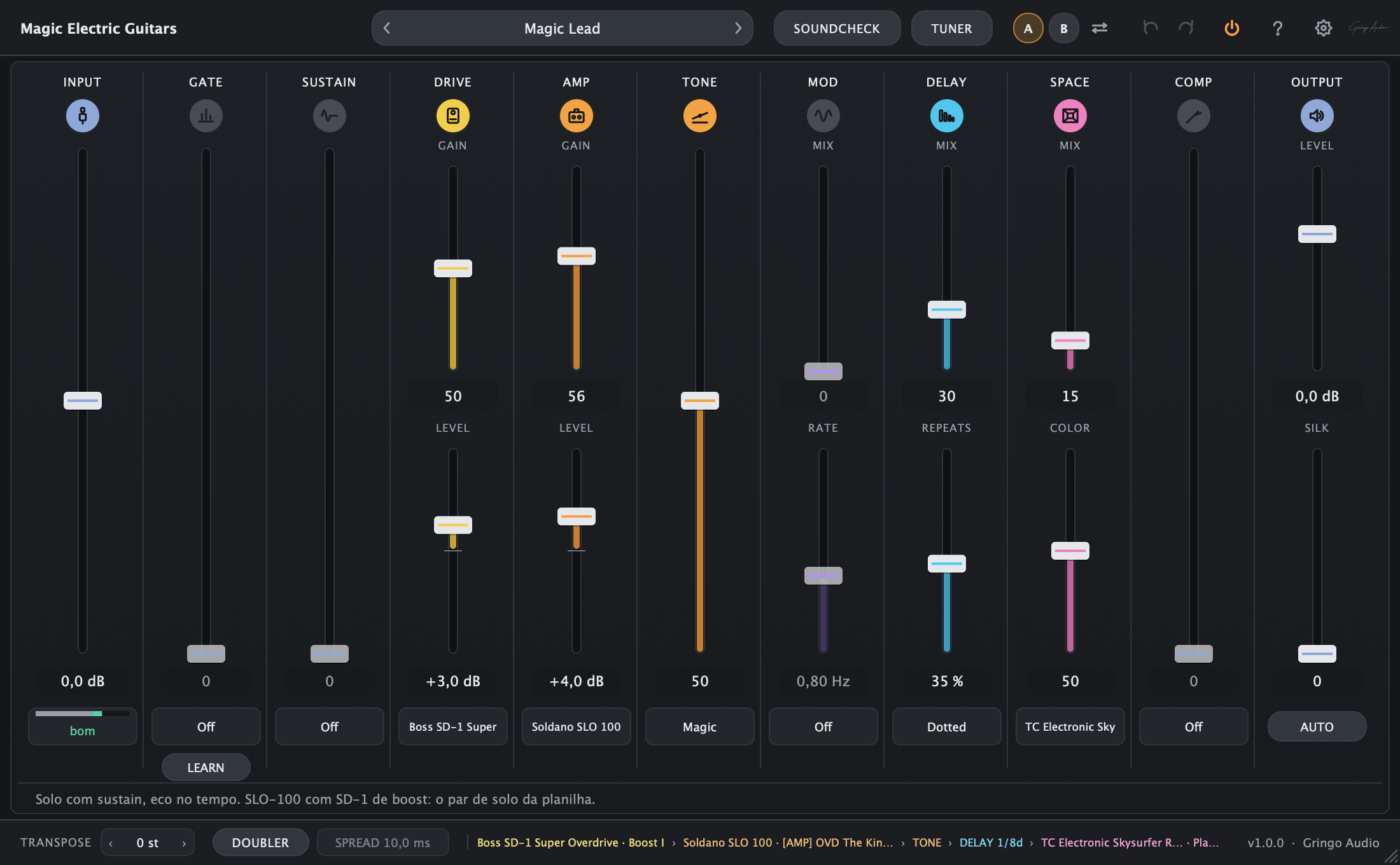
- of SOUNDCHECK and your guitar is ready
- 40 s
- curated styles, each with a rhythm and a lead chain
- 20
- audio interfaces in the guide
- 235
- presets: 40 from the library, 37 by genre and Init
- 78
The presets, as they sound.
Short takes played by Chrys on the factory presets, one per track. More styles land here over the next weeks.
Modern Blues · Base
Guitar: Chrys Gringo
Three steps and you are playing.
- 1Your interface
Pick yours from a list. The plugin shows where a guitar lands on it and how to set the gain, the way a tech would.
- 2SOUNDCHECK
Play your hardest chord, say which pickup you have and stay quiet for two seconds. Input and GATE are set.
- 3Style
Choose one of 20 styles, rhythm or lead. If a tone is missing, the plugin takes you to it on TONE3000 and imports it by itself.
Before the first chord, it knows your interface.
“The amps here were captured at real level. Knowing your interface, the plugin sees your guitar's real level, like a real amp.”
That is the sentence the plugin shows the first time it opens. The guide runs by itself before the first SOUNDCHECK and stays in the settings for the day you change interfaces.
- 1INTERFACE
Find yours in a list of 235 interfaces, built from the makers' specs and independent measurements. Not there? There is a Not sure button.
- 2CONFIRM
Shows where a guitar lands on your interface and whether its input lets the pickup sound the way it does into an amp.
- 3SET UP
Tells you what to do on the interface: instrument mode on, gain at minimum, its own effects off.
- 4TEST
You play your hardest chord and it checks that it fits. If it does not, it tells you what to change.
Forty seconds. Four questions. None in jargon.
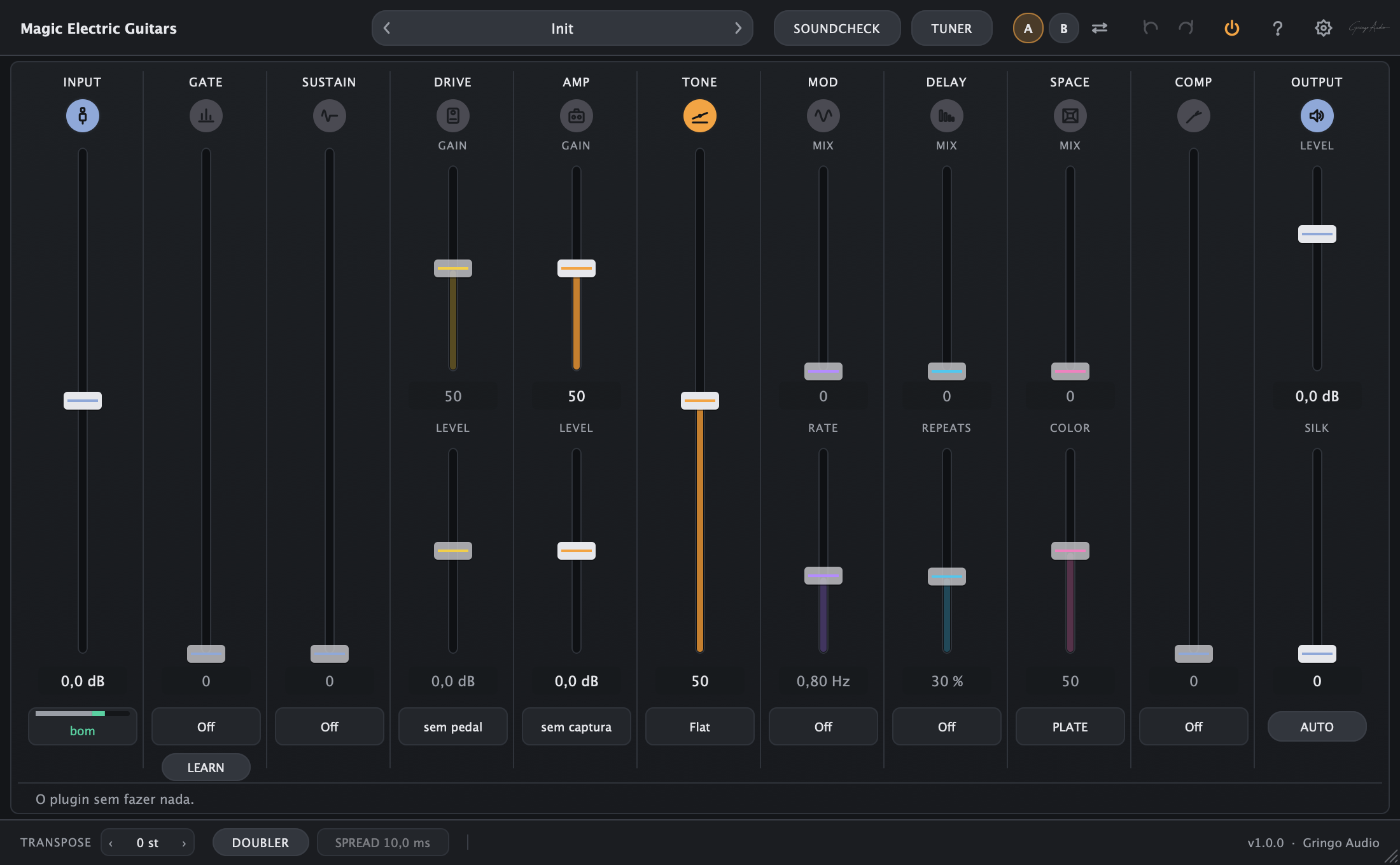
After the interface, the plugin does what a tech would do before you record: it hears how hard you play, finds out your pickup, learns your silence and asks what sound you want today. Every measuring card has a Measure again.
- 1Input
“Play anything. I'll find the input.”
Standalone only: it listens to every input of the interface and lights the one with a guitar. No more "my guitar makes no sound".
- 2Level
“Play your hardest chord for 4 seconds.”
It sets the input so your hardest chord reaches the amp just right. And the quiet · good · too hot bar stays in sight.
- 3Pickup
“Single-coil or humbucker?”
If you do not know, it listens and makes a guess. It is one button: SINGLE, HUMBUCKER or Not sure.
- 4Noise
“Don't play for 2 seconds, hand on the strings.”
It learns the hiss of your room and sets the GATE. If a string rings in the middle, it knows that was not silence and asks again.
- 5Style
“What sound do you want today?”
Twenty styles, rhythm or lead. One tap and the chain is built.
“Done. Play.”
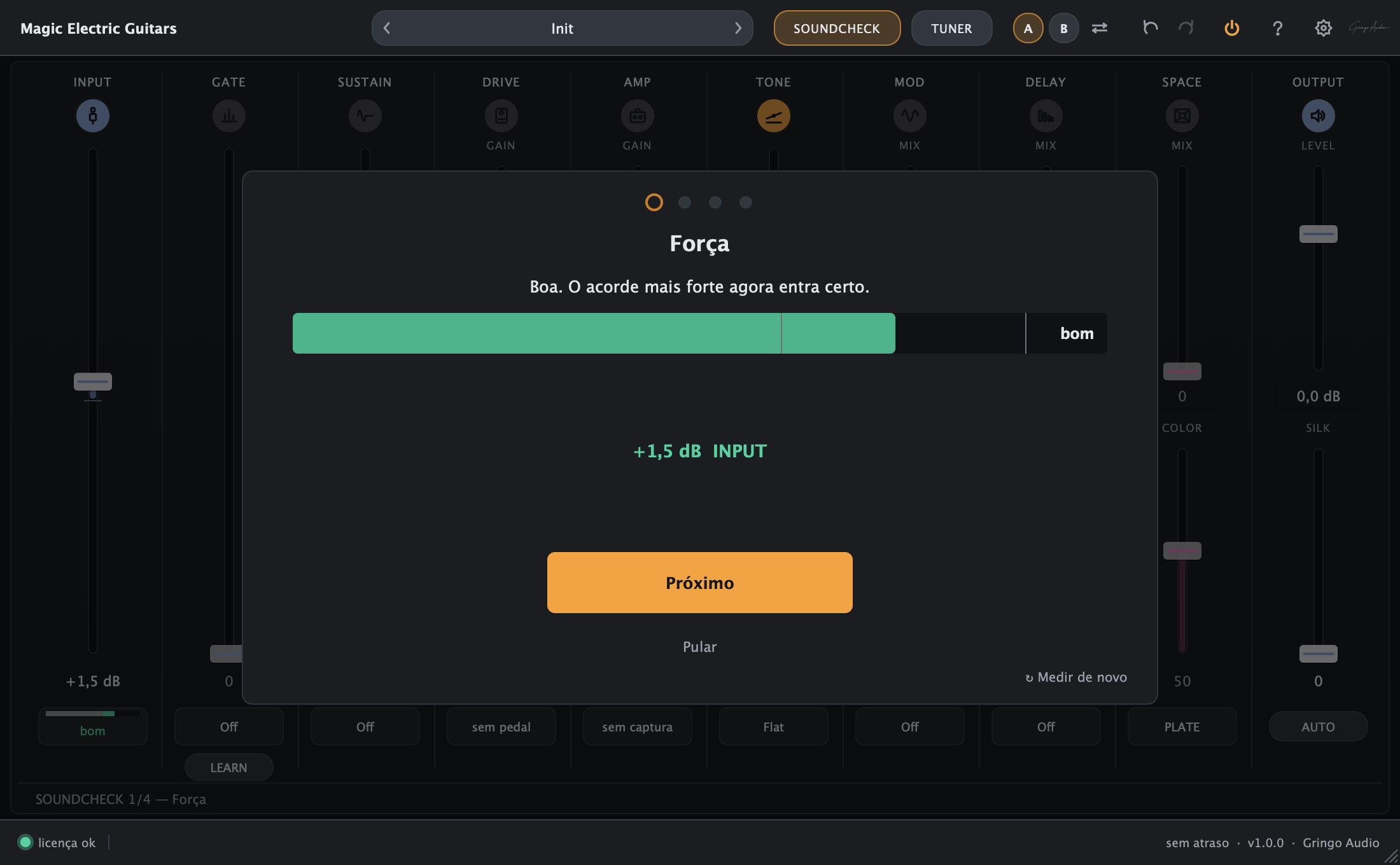
The invisible mistakes move from you to the plugin.
- Input
"it sounds fizzy, not real"
SOUNDCHECK sets the input right and the three-word bar keeps it there. A fizzy tone is almost always an input that is too hot, and the plugin does not let it through.
- Cab
"all fizz and no body"
A capture that already has a cab never gets a second one; an amp without one gets a cab when it needs it. The CAB strip only shows up when it is missing.
- Level
"I changed the preset and it blew up"
Amps and pedals come in levelled to the same standard, and the output has a transparent ceiling. Changing presets does not change the volume: you judge the sound, not the jump.
- Mix
"great on its own, gone in the mix"
The presets come with TONE Magic: less mud, less fizz, a little less gain than what feels good alone. It is the sound that fits the song.
By style, not by catalogue.
From the community's most downloaded captures, Chrys picked the chain of each style: pedal, amp and reverb. That is 20 styles, from surf to djent, each with a rhythm and a lead chain. You pick the style; the plugin builds the rest and keeps everything at the same level.
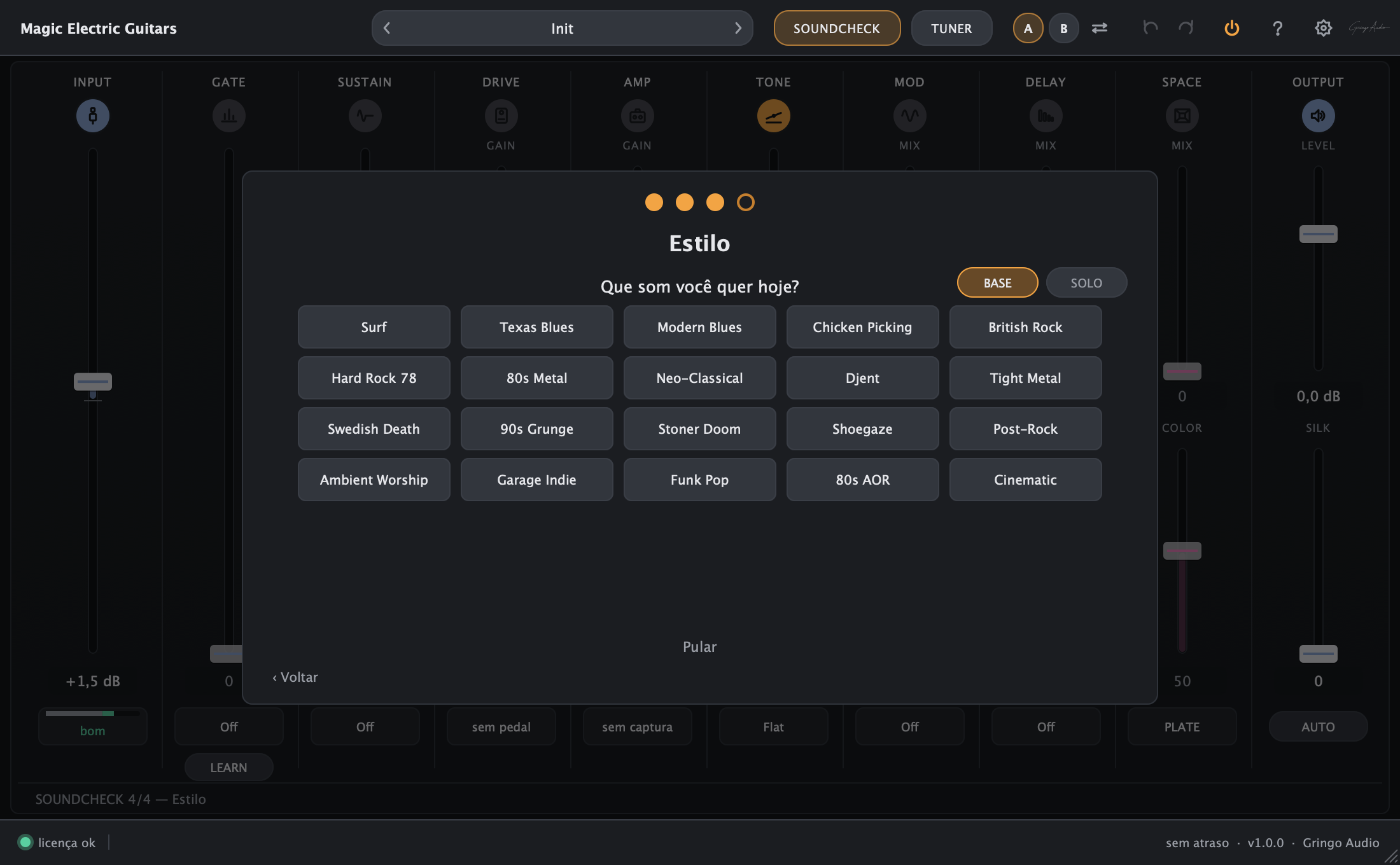
BASE to play along, SOLO for the lines. Same style, another chain.
The original tones come from TONE3000, with the plugin guiding you.
The library's captures are not inside the installer: they belong to whoever captured them and live on TONE3000, free, credited to their creator. When a style needs one, the plugin opens the Complete this sound card and walks you through it.
- 1DOWNLOAD ON THE SITE
Opens the creator's page on TONE3000. You click Download there.
- 2DOWNLOADS FOLDER
The plugin picks the file up from your Downloads folder, checks it and files it in the library.
- 3READY. PLAY.
Once the chain is complete, the sound comes back. Each capture is downloaded only once.
While a piece is missing, the plugin waits in silence instead of playing half a sound. Skipped a step? It uses the closest house tone, which is already installed.
TONE3000 and the gear names belong to their owners and only identify where each capture comes from. Gringo Audio is not affiliated with, partnered with or endorsed by them.
And 37 more presets by genre
From sertanejo to metal, in 12 categories, each one already shaped for the mix. A preset only changes the sound: your input, your GATE and your pickup stay as SOUNDCHECK left them.
Initthe plugin doing nothing
Magic Cleanthe preset the plugin opens with
SC = made with single coils in mind · HB = with humbuckers. It is only a browser filter, never a warning.
Drag a .nam file onto the plugin. It joins your library, levelled, and if it is only the amp, a cab comes in when it needs one. Your cabs as wav files come in too.
Essentials4
- Magic Clean
- Magic Crunch
- Magic Lead
- Magic HeavyHB
Sertanejo4
- Modão CleanSC
- UniversitárioSC
- Sofrência LeadHB
- Arena SertanejaHB
Worship / Gospel4
- Sunday Clean
- Worship Swell
- Worship DriveHB
- Altar LeadHB
Pop3
- Radio CleanSC
- Pop Strum
- Pop Edge
Rock4
- Classic Crunch
- Garage Punch
- Stadium RhythmHB
- Arena LeadHB
Blues3
- Late Night BluesSC
- Juke Joint
- Slow Blues Lead
MPB3
- Bossa ElétricaHB
- MPB Suave
- Samba RockSC
Funk / Soul2
- Funk ChankSC
- Soul CleanSC
Metal3
- Modern TightHB
- Thrash RhythmHB
- Metal LeadHB
Indie3
- Indie JangleSC
- Shoegaze Wash
- Dream Chorus
Country2
- Nashville CleanSC
- Chicken PickinSC
Jazz2
- Jazz ClubHB
- Bossa JazzHB
One word on each strip.
The whole chain of a recorded guitar, in the right order, on one page you understand at first sight. Zero means off. Every strip opens a second page that teaches, with the real units, for whoever wants to learn.
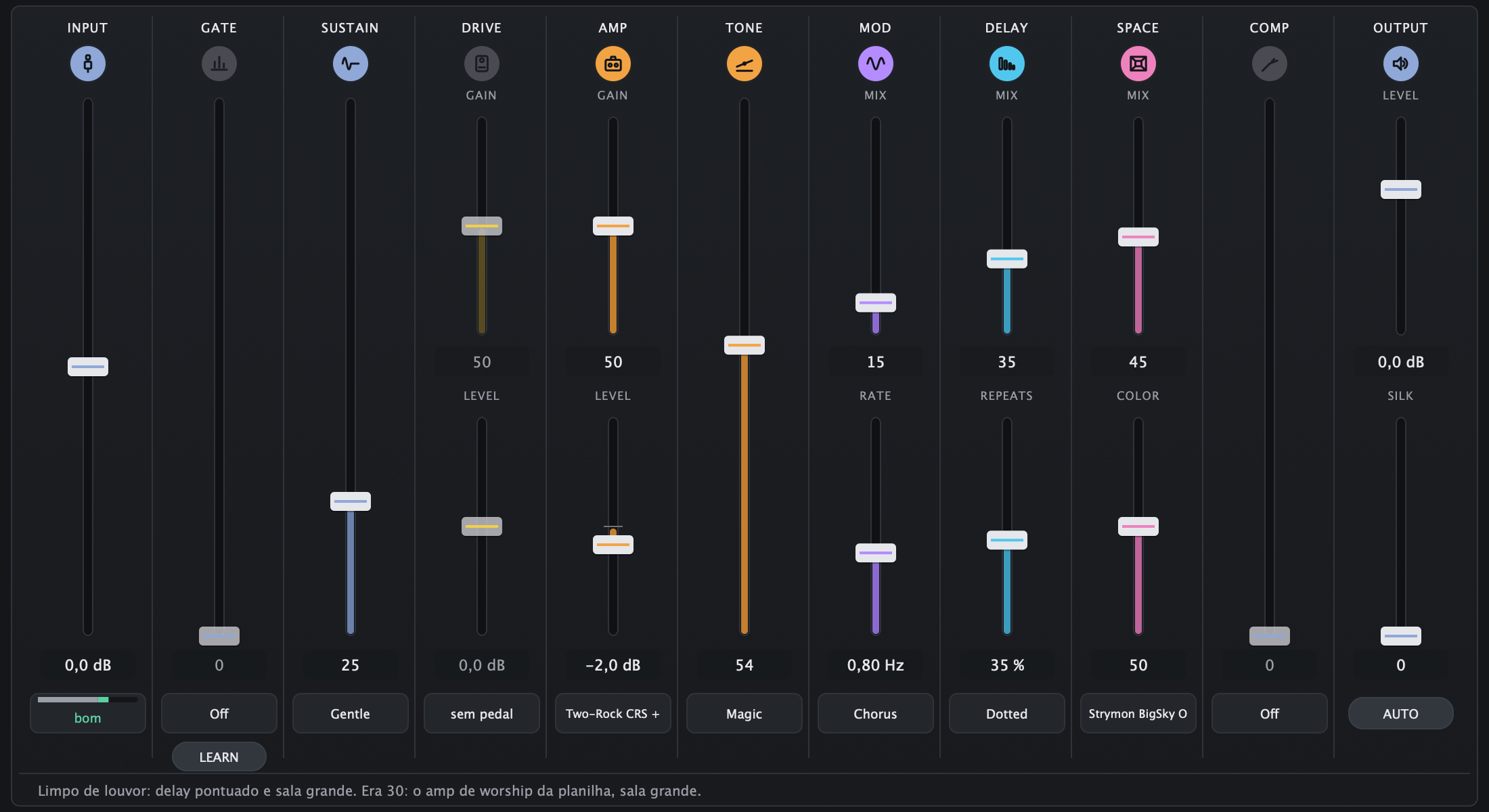
- INPUT
How hard the guitar is coming in, with the quiet · good · too hot bar.
- GATE
The hiss goes away between notes without cutting their tails. LEARN learns your silence.
- SUSTAIN
Notes last longer and even out, like a guitar pedal.
- DRIVE
The pedal in front of the amp, as a NAM capture: gain, level and tone.
- AMP
The amplifier, as a NAM capture: the library's, the house's or yours, already levelled.
- CAB
The cab is optional: the strip shows up when the amp needs one. Never two.
- TONE
Dark ↔ bright, with the Flat, Magic, Scoop and Mid Push styles.
- MOD
Movement: chorus or tremolo.
- DELAY
The echo, in time with the song: slap, quarter, dotted or long.
- SPACE
The room: reverbs captured from real rooms and plates, or the CLASSIC one. COLOR makes it darker or brighter.
- OUTPUT
The final level with AUTO, a ceiling that never clips and SILK, a console finish.
No DAW. Just the guitar, the tuner and the song.
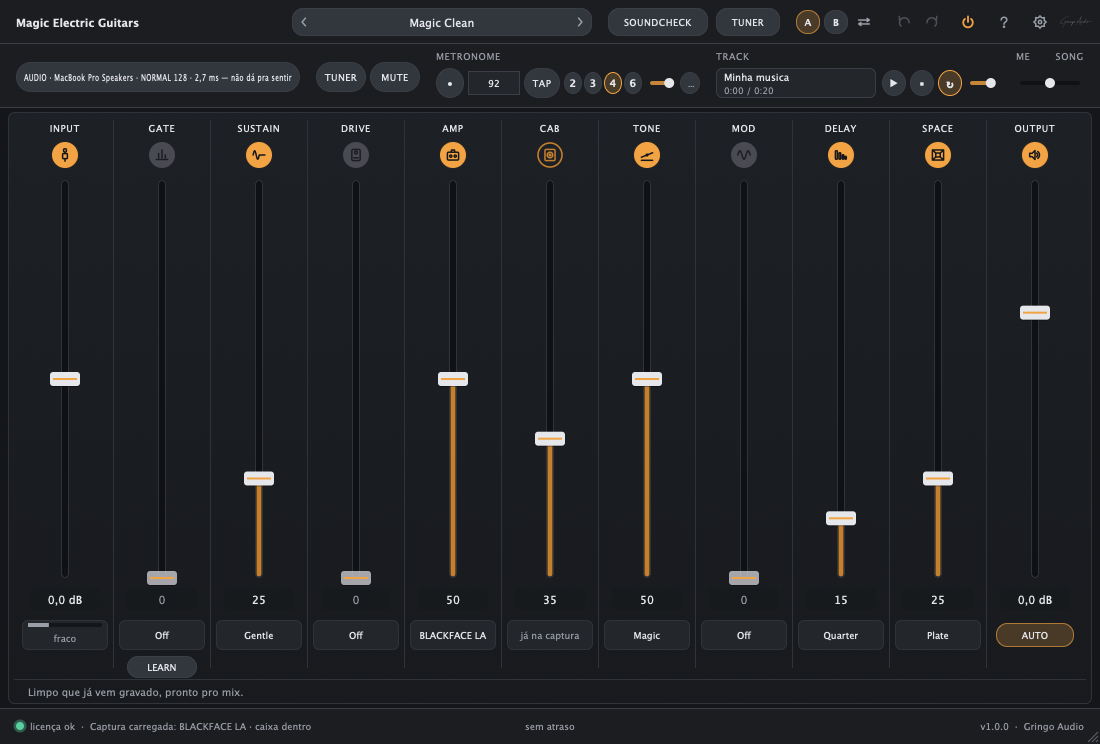
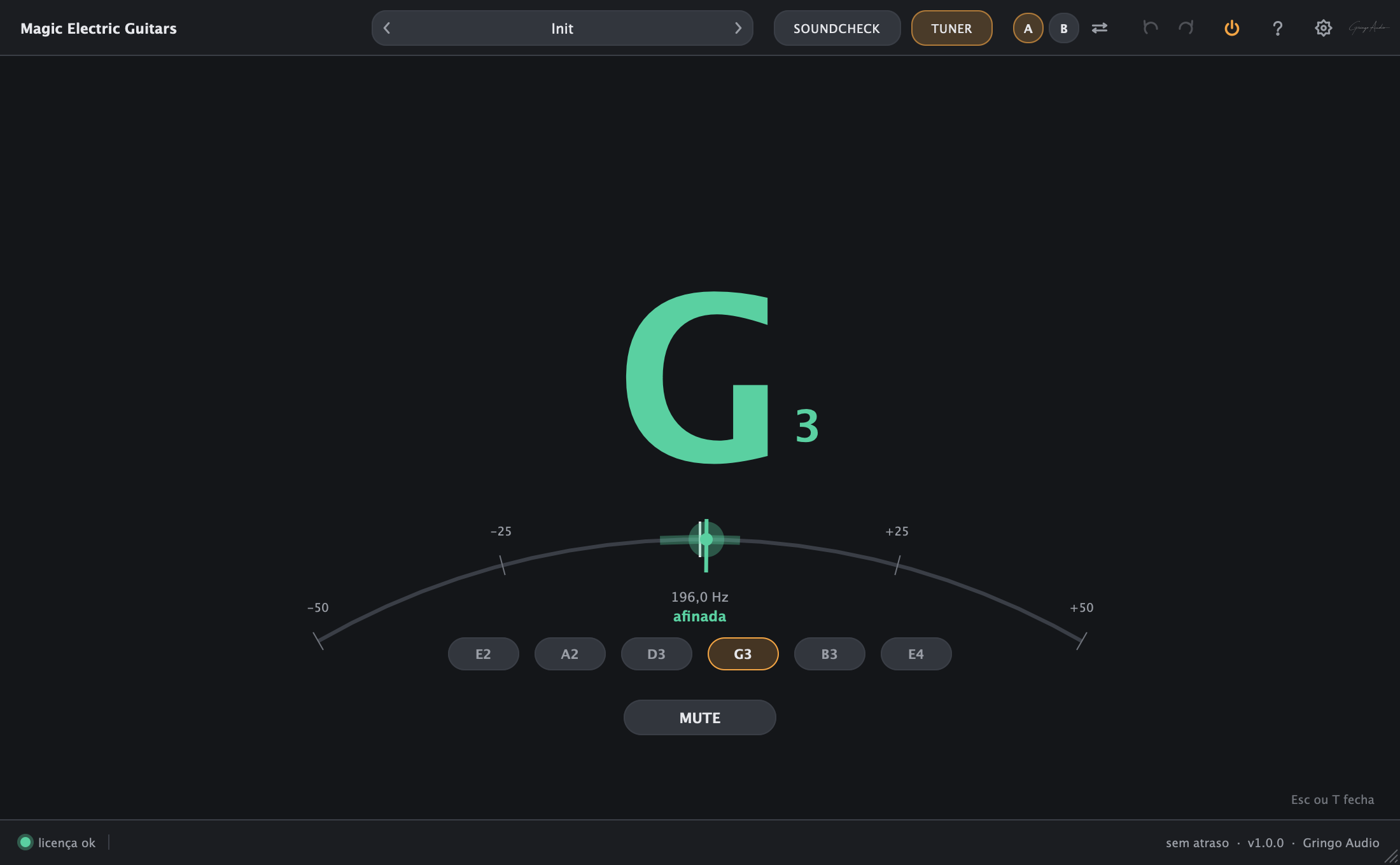
On a Mac the same plugin opens by itself as a practice amp: the metronome, a backing track and the balance between you and the song in your headphones. The tuner is everywhere, in the plugin and in the Standalone. The audio setup speaks your language: FAST, NORMAL or SAFE, with the delay said in words.
- Full-screen TUNER with MUTE to tune in silence
- METRONOME with TAP and an accent on beat 1
- TRACK: drop a song, play along and loop it
- ME / SONG balance to hear what matters in your headphones
- It warns you when Bluetooth headphones delay the sound and when Direct Monitor doubles the guitar
"2.7 ms, you cannot feel it." That is how it talks about delay. If it crackles, SAFE.
What it is not.
A plugin that promises everything solves nothing. This one was made for whoever wants to record or practise a good guitar tonight without becoming a sound engineer first.
Not an endless catalogue
It is 20 hand-picked styles and 37 presets by genre. Want another capture? Import yours: .nam files and cabs as wav.
Third-party tones are not inside
The library's captures belong to whoever captured them and live on TONE3000. The plugin takes you to each one and imports it, but the download is yours, once per capture, online.
Nobody's partner
Gear names and TONE3000 only appear to say where each capture comes from. No affiliation, partnership or endorsement.
Not an engineer's rack
The first page has one word per strip. The real units exist, but they live on the second page, for whoever wants to learn.
Not a subscription
Buy it once, it is yours forever. Every new version lands in your account.
Magic Electric Guitars
Buy it once. Install it on Mac and Windows. Every new version lands in your account.
The serial arrives by e-mail the moment you buy and stays in your account. · Already bought it? Download the installer from your account
Before you ask
Do I need to understand audio to use it?
No. Tell it which interface you use, run the 40-second SOUNDCHECK, pick a style and play. The first page speaks guitarist: DRIVE, AMP, CAB, TONE, DELAY, SPACE. If you ever want to learn what is behind it, every strip opens a page that teaches.
Where do the tones come from?
From the TONE3000 community, where people publish NAM captures of pedals and amps. Chrys picked the chain of each style from the most downloaded ones. The plugin opens each creator's page, you download for free and it imports from your Downloads folder. The house tones are already installed and play from minute one.
Do I need a TONE3000 account?
The download happens on their site, which may ask you to sign in; an account there is free. Magic Electric Guitars never asks for your TONE3000 password and is not affiliated with them.
Does it work with my NAM captures?
Yes. Drag the .nam file onto the plugin: it joins your library, levelled, and if it is only the amp, a cab comes in when it needs one. Your cabs as wav files come in too.
Does it work on Windows and in Pro Tools?
Yes. Mac: VST3, AU and AAX. Windows: VST3 and AAX. It runs in any 64-bit DAW that opens those formats, such as Logic Pro, Pro Tools, Studio One, Reaper, Ableton Live, Cubase and FL Studio. One licence covers both systems.
Does it need an iLok?
No. You activate it with your e-mail and serial, inside the plugin. No dongle, no extra software.
How do I get the serial, and where do I see my activations?
The serial arrives by e-mail the moment you buy and stays in your Gringo Audio account. Your activated machines show up there; if you change computers, you free the old one in your account.
Do I need internet to use it?
Once to activate, and to download the library's tones. After that it runs 14 days offline before checking again. Before activation the audio passes through clean, never silent.
Does it add latency?
At 48 kHz, none. At other rates, a small fixed delay your DAW compensates by itself. In the Standalone you pick FAST, NORMAL or SAFE, and it tells you in words what each one means.
Can I get a refund?
Within 14 days, no questions asked. Write to support and that is it.
System requirements
macOS
- macOS 10.15 Catalina or later
- Apple silicon and Intel (universal binary)
- Any 64-bit DAW with VST3, AU or AAX, or none: Standalone
Windows
- Windows 10 64-bit or later
- Any 64-bit DAW with VST3 or AAX
Formats
- VST3: Mac and Windows
- Audio Unit: Mac
- AAX (Pro Tools): Mac and Windows
- Standalone: Mac
Magic Electric Guitars by Gringo Audio, a Chrys Gringo project. Brand and product names belong to their owners and only identify the gear the captures were modelled on. No affiliation or endorsement, TONE3000 included.