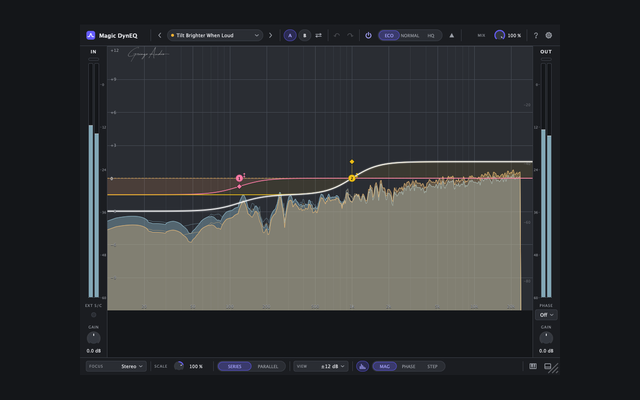
Gringo Audio
NewFree forever

The dynamic EQ that works on its own.And it's free.

16 bands that listen to the music and only move when they have to. Sidechain and Mid/Side on every band, minimum phase and zero latency. No trial, nothing locked: one e-mail and the serial is yours.

Mac and Windows · VST3, AU and AAX

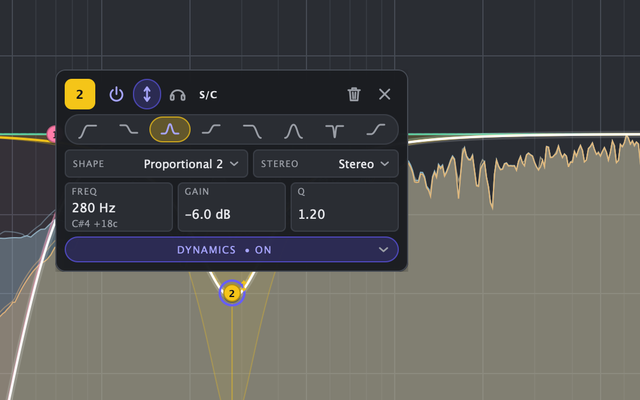
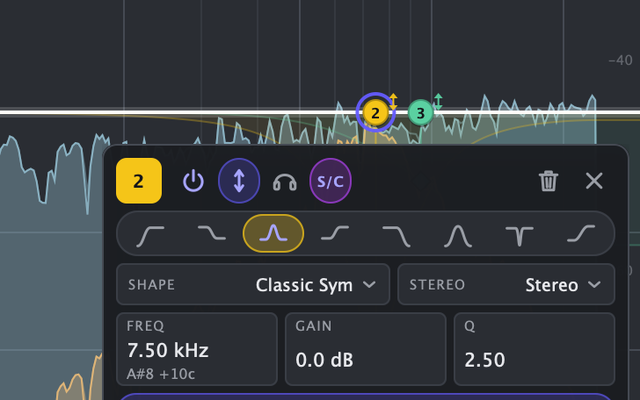
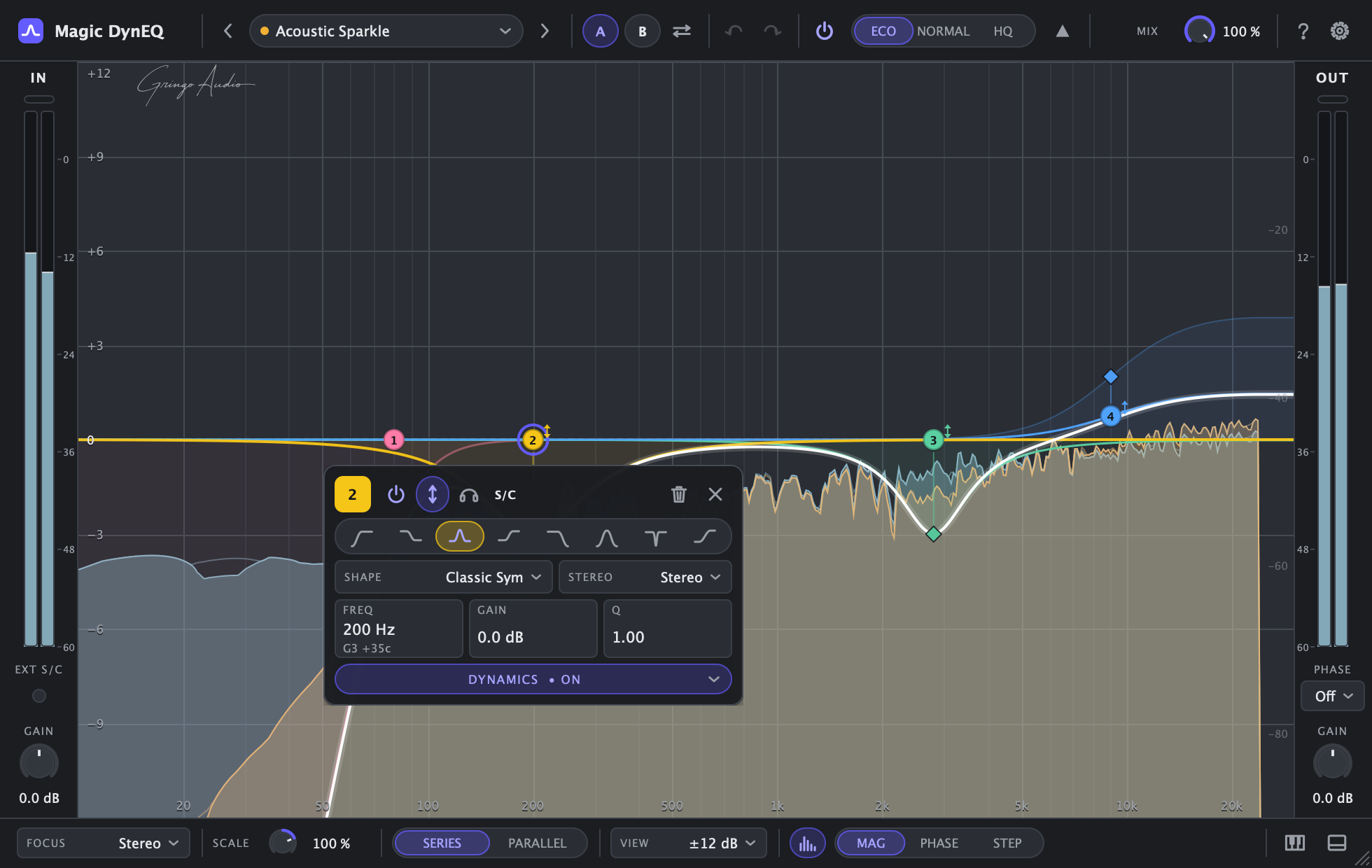
Magic DynEQ with the Acoustic Sparkle preset: band 2's floating panel open over the graph, with type, shape, frequency, gain, Q and Dynamic on
dynamic bands
16
latency in Eco
0 ms
factory presets
24
forever
$0
Why it's different

Everything a dynamic EQ needs. Nothing that hurts the sound.

Per-band dynamics and sidechain

Every band listens to whatever you feed it.

A band can listen to its own signal, the full signal, another band's filter or an external sidechain. It compresses, expands, lifts what went dull or pulls down what went too far. Threshold, attack and release set themselves: turn Dynamic on, pull the diamond, done.

  • Compress, Expand, Upward and Downward
  • Automatic threshold, attack and release
  • Internal, external or another band's sidechain
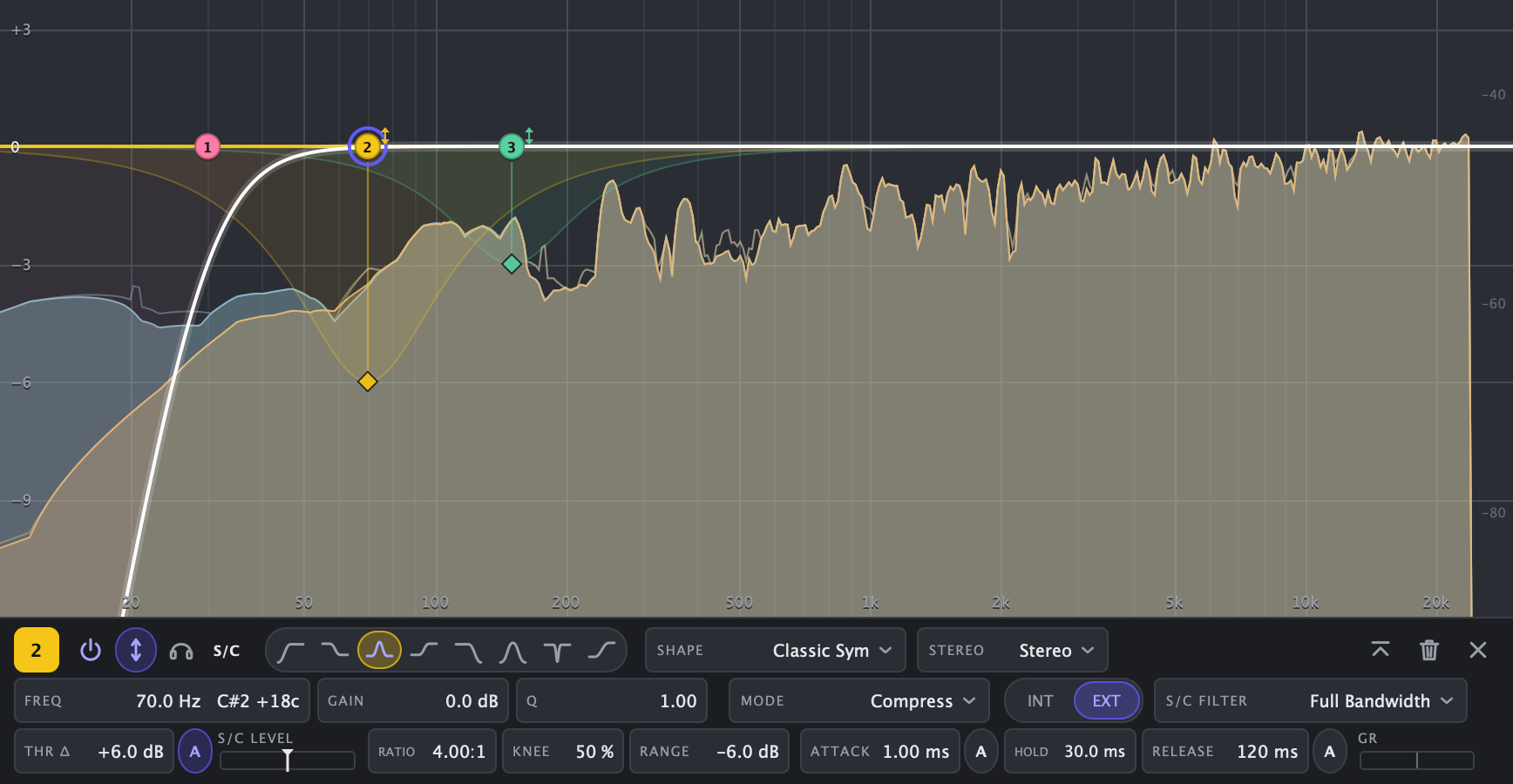
Close-up of band 2's dock in the Duck Under Kick preset: external sidechain (EXT), sidechain filter, threshold, ratio, knee, range, attack, hold and release
Stereo, L, R, Mid or Side

Touch only the centre. Or only the sides.

Every band chooses where it works: both channels, left or right only, Mid only or Side only. With Focus, new bands are born on the right channel and the analyzer shows exactly that component.

  • Exact Mid/Side inside every band
  • Focus: new bands land on the chosen channel
  • Input, output and sidechain analyzer
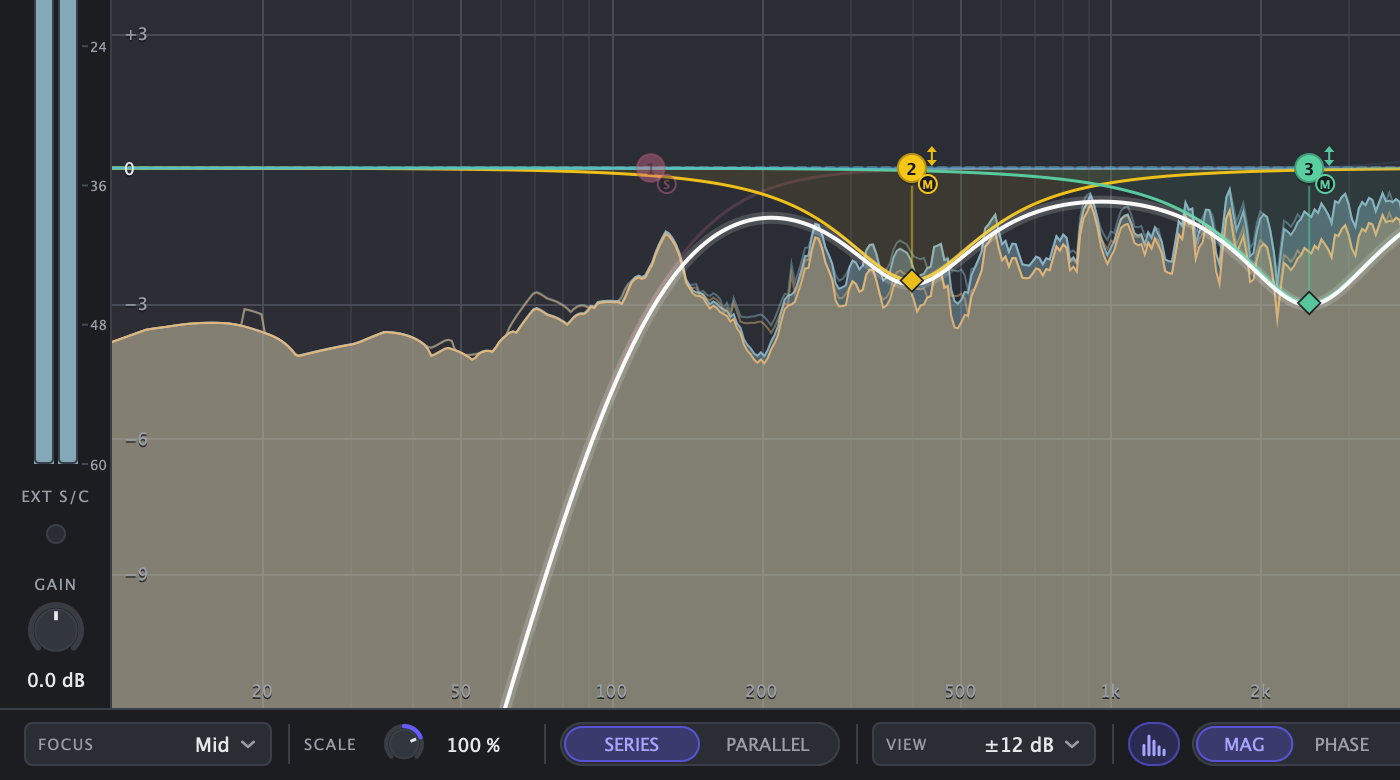
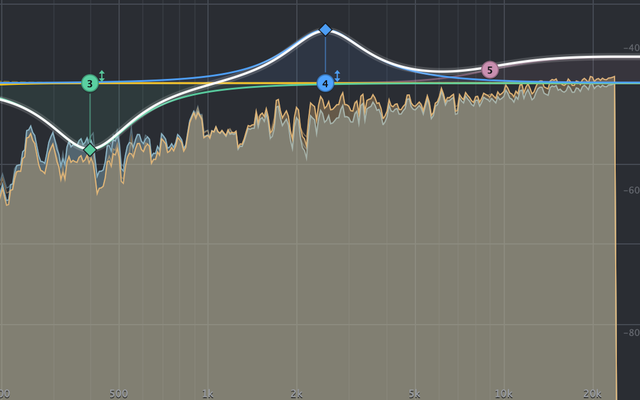
Close-up of the graph with Focus on Mid: the Mid bands stay lit, the analyzer shows only the Mid and the Focus selector sits in the footer
Minimum phase, no crossovers

No phase problems. No pre-ringing. No combing.

Every band is a single series filter: no splitting the signal into bands that cancel each other when they overlap. With no bands, audio passes bit for bit. Eco runs at zero latency; Normal and HQ oversample with a fixed latency reported to your DAW, so nothing shifts or jumps when a band engages.

  • Eco: zero latency, no cramping in the top octave
  • Normal (2x) and HQ (4x): constant, compensated latency
  • Empty instance = untouched audio, bit for bit
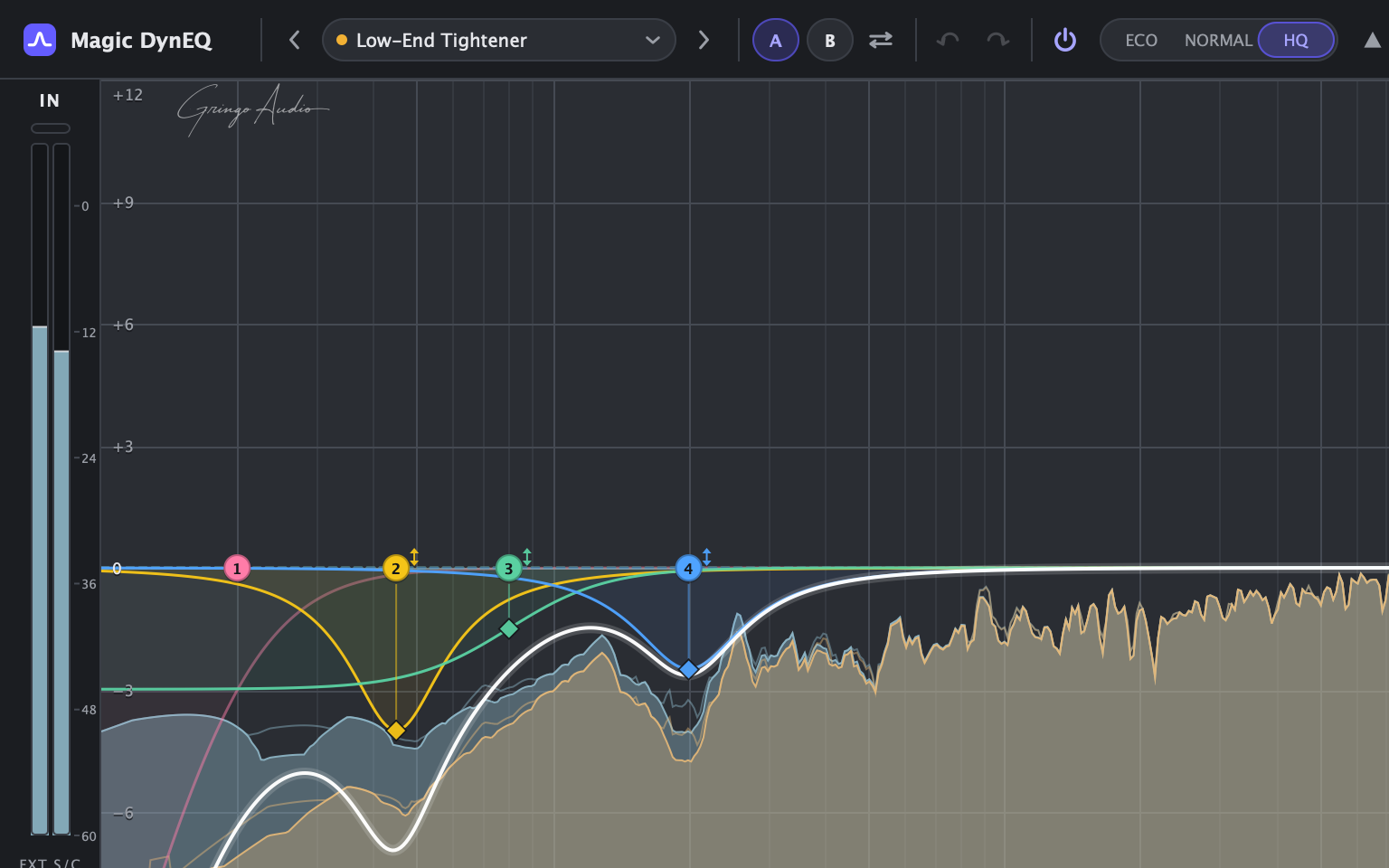
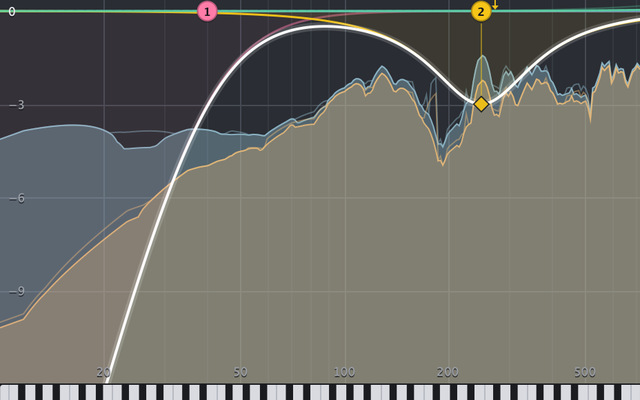
Close-up of the plugin's header with HQ (4x) lit over a low-end preset's curves, with no band-splitting anywhere
How it works

Three gestures and the band is already working.

  1. 1

    Double-click the graph

    A band is born right there, at the frequency and gain you clicked. Drag to move it, scroll to change its Q.

  2. 2

    Turn on Dynamic

    One click on ↕ or the D key. A dashed line and a diamond appear: how far the band may move.

  3. 3

    Pull the diamond

    Down, it cuts when the sound gets too loud; up, it lifts when it goes dull. Threshold is automatic, so the band starts working right away.

The solid coloured line is what the band is doing right now; the dashed one is where it rests.
Everything inside

It's free, and it's not a lite version.

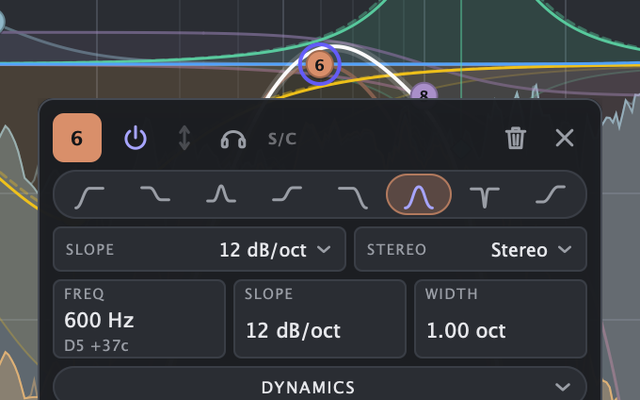
A band's panel with the 8 filter types: low cut, low shelf, bell, high shelf, high cut, band pass, notch and tilt

16 bands, 8 types

Low cut, low shelf, bell, high shelf, high cut, band pass, notch and tilt. Cuts from 6 to 96 dB per octave.

The band panel with the Proportional 2 shape picked on a 6 dB cut

Calibrated bell shapes

Classic symmetrical and asymmetrical plus three proportional shapes, measured against classic console laws.

The piano roll under the graph: a keyboard lined up with the frequency axis

Piano roll

A keyboard aligned to the frequency axis. Every band shows its note and cents, like A4 +12c.

Close-up of the analyzer: input and output spectrum under the curves

Analyzer

Up to 8192-point FFT, 4.5 dB per octave tilt and peak hold. Input, output or sidechain.

The band panel with S/C Listen on, to hear what the detector hears

Solo, S/C Listen and Delta

Hear just the band, just what its detector hears, or just what the plugin is taking out.

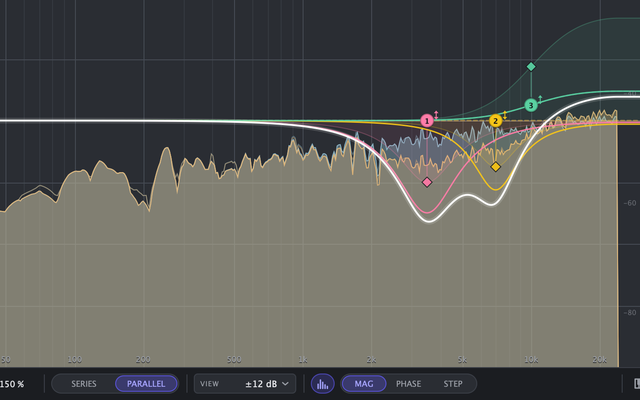
The footer with Parallel mode on and the boost summed over the curve

Series or Parallel

In Parallel, boosts sum in parallel like a passive EQ; cuts stay in series.

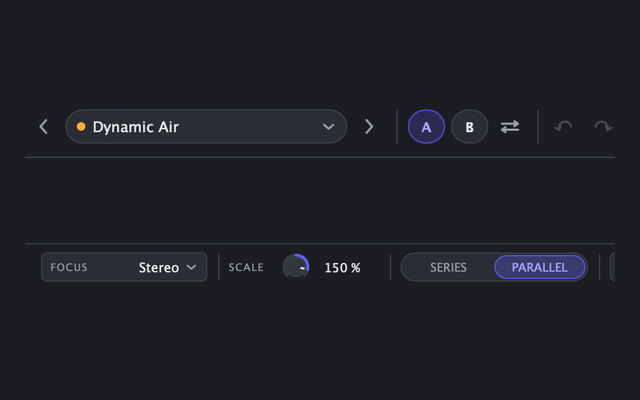
The A/B, undo and redo buttons in the header and Scale at 150% in the footer

A/B, undo and Scale

Two snapshots, undo and redo, and a −200 to +200% Scale that shrinks or flips the whole curve.

The whole plugin with the window at 50%

50 to 200% window

Resize from the corner, with a float panel or a dock, plus an optional overview graph.

24 presets

Start from a real starting point.

Every preset solves a common mixing problem with the dynamic bands already in place, ready for you to fine-tune by ear.

Vocals

  • De-Harsh 3-6k
  • Sibilance Tamer
  • Mud Control 200-400
  • Presence Lift When Dull
  • Proximity Control

Drums

  • Kick Punch
  • Snare Ring Tamer
  • OH Hat Reducer
  • Drum Bus Glue

Bass

  • Definition
  • Boom Control
  • Duck Under Kick

Guitars

  • Acoustic Sparkle
  • Electric Fizz Tamer

Keys

  • Piano Presence
  • Pad M-S Air

Mix bus

  • Dynamic Air
  • Low-End Tightener
  • M-S Side Sparkle
  • Tilt Brighter When Loud

Utility

  • Flat
  • Sidechain Template
  • Focus Mid
  • Focus Side
Free forever

Your serial in one minute.

Magic DynEQ is free, with no time limit and nothing locked. The serial activates the plugin and creates your Gringo Audio account, where the installers, the manual and the updates live.

Get your serial

  1. 1Type your e-mail
  2. 2Paste the 6-digit code you receive
  3. 3Grab your serial and download

Rather do it all inside your DAW? Open Magic DynEQ: it asks for your e-mail, sends the code and activates itself.

FAQ

Before you ask

Is it really free? Forever?

Yes. No trial, nothing locked, no watermark. Free today and in future versions.

If it's free, why does it need a serial?

The serial activates the plugin and creates your Gringo Audio account, where the installers, the manual and the updates live. Each serial activates up to 3 computers.

What do you do with my e-mail?

We send the code, the serial and your account notices. In return for the free plugin we also send mixing tips, news and offers from Gringo Audio, under the Usage & Marketing Policy; you can unsubscribe from the link in any e-mail. In the European Union, the European Economic Area and the United Kingdom, marketing e-mail is optional.

Do I need to be online?

Only once, to activate. After that it runs for 14 days offline before it checks again. Before activation, audio passes through unprocessed, but it is never muted.

Can I activate without leaving my DAW?

Yes. Open the plugin, type your e-mail, paste the code you receive and it activates itself. The form on this page does the same and also shows the download links.

Which DAWs does it work in?

Any DAW that loads VST3, AU or AAX, such as Logic Pro, Pro Tools, Ableton Live, Cubase, Studio One, Reaper and FL Studio.

Does it add latency?

In Eco mode, none. Normal and HQ oversample and have a small, fixed latency reported to your DAW, which compensates automatically.

How does it relate to Magic Vocals Pro?

Magic DynEQ grew out of Magic Vocals Pro's dynamic MASTER EQ into a full plugin: 16 bands, external sidechain, per-band Mid/Side, a piano roll and an analyzer. The Pro is still the whole vocal chain in one plugin.

System requirements

macOS

  • macOS 10.13 High Sierra or later
  • Apple Silicon and Intel (universal binary)
  • Signed and notarized .pkg installer

Windows

  • Windows 10 64-bit or later
  • x64 processor
  • Signed .exe installer

Formats

  • VST3: Mac and Windows
  • Audio Unit: Mac
  • AAX: Pro Tools, Mac and Windows

Magic DynEQ by Gringo Audio, a Chrys Gringo project.