GringoAudio
Login
By Chrys Gringo · For artists who want to release, not mix

Your voice,
produced in one click.

Magic Vocals is the vocal processing suite Chrys Gringo built for artists and producers who don't want to expend much time mixing — they want to make music, make money, and sound finished, now.

Press Play, flip A/B, and hear what your voice sounds like through it.

Pop
Michael J
0:00/0:00
REAL STEMS
PRESET
Magic VocalsVocal Processing Suite
Chrys Gringo
1
Start Here
Voice
Type
Input
OPTIMAL
INPUT
0.0 dB
Power
45%
2
Creative
Focus
31%
Fat
66%
Doubler
33%
Reverb
53%
Delay
49%
3
Clean Up
Clarity
35%
De-Ess
51%
4
End Here
Output
OPTIMAL
OUTPUT
0.0 dB

Find your sound

58 sounds, organized the way you actually search.

Seven genre-aware buckets — North America, Europe, Brazil, Latin, Global, Character, plus Essentials. Eleven mood tags that filter on top. Favorites and Recent always one click away. Try it.

Live mockup. Filters, search, favorites and recent all work — same logic that ships in the plugin.

Total control, on the rare day you need it

One click for the preset. One more for everything else.

The presets cover 90% of the moves. The other 10% — bypass an effect, kill a whole zone, or let Auto Gain handle level-matching — sits one click away on the same plugin.

AUTO GAIN

Match output to input, automatically.

The AUTO pill below the Output knob keeps your processed level matched to the dry signal, so EQ and compression moves are heard as shape, not as level. Saves you from second-guessing every fader.

End Here zone → AUTO pill below Output.
BYPASS PER FX

Click an icon, kill that effect.

Every effect's icon is a button. Tap it to bypass that single FX, tap again to bring it back. Useful for A/B-ing one element of the chain without unraveling the whole preset.

Each FX icon doubles as a bypass switch.

BYPASS PER ZONE

Click a zone label, silence the whole group.

Tap 1 Start Here, 2 Creative, or 3 Clean Up to bypass everything inside that zone in one click. Tap again to bring the whole group back.

Zone labels are clickable bypass groups.

What each fader does

Eight effects. Dialed for voice, not for show.

Every knob in Magic Vocals is doing a specific, musical job — voiced by Chrys across hundreds of sessions. Click Isolate on any effect to hear it by itself, then bring the chain back.

FOCUS

Cut the mud. Push the presence.

FOCUS sweeps out everything below the voice — the room rumble, the proximity bloom, the cable hum — then lifts the 3–5k band that makes a vocal sit where the listener's attention lives.

FAT

Weight without mud.

FAT adds body around 150–250 Hz — the chest of the voice. Controlled shelf, not a bass boost. On a thin take, it's the difference between tiny and in the room.

DOUBLER

Two voices from one take.

Stereo micro-delay with detuned returns. Makes the lead wider and fuller without killing the mono collapse. Turn it up on hooks, leave it down on verses.

REVERB

Depth, tuned per genre.

A plate-style tail voiced for contemporary vocal production — short and tight on rap, long and lush on R&B.

DELAY

Space between the words.

A short musical delay tuned to sit behind the vocal instead of crowding it. Use it for a subtle throw on the ends of lines — or push it for an 80s pad.

CLARITY

Air, not harshness.

A high-shelf you can actually push. Most air bands turn a great take into a sibilance machine — CLARITY is voiced around 8–12k so you get sparkle without the pain.

DE-ESS

Tame the esses. Keep the air.

Frequency-dependent gain riding around the sibilant band. Works with CLARITY — push air all you want, the esses stay in their lane.

POWER

The master drive.

POWER feeds the whole chain harder — the character knob. At low settings it's transparent; past noon it pushes saturation and density into the lead.

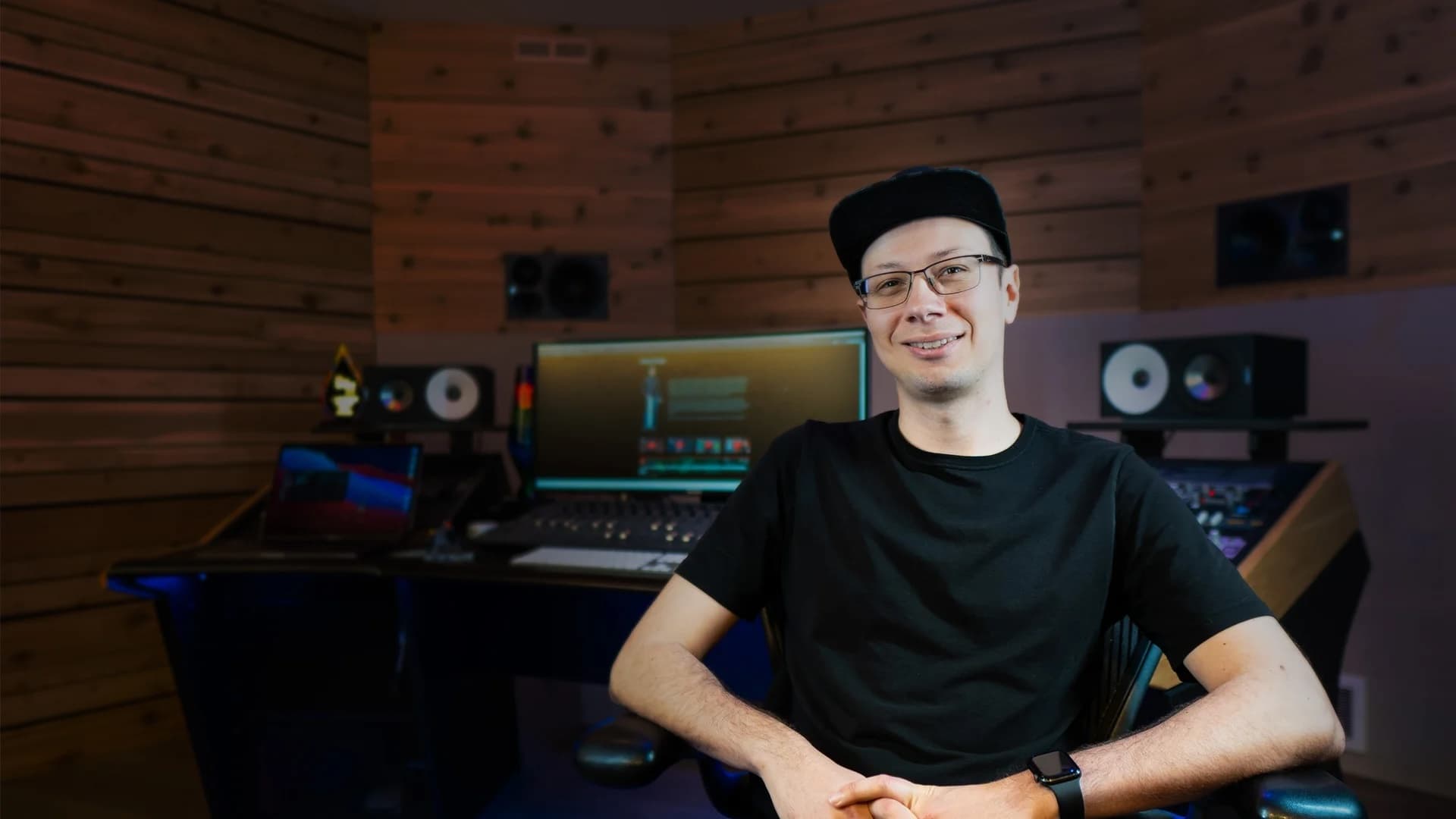
Chrys Gringo in his studio
The Creator

Built by Chrys Gringo.
The vocal chain I wish I had when I started.

Music producer, educator, plugin developer, and Full Sail University ambassador — connected to one of the most respected names in audio and music production education — trusted by 290k+ creators learning how to make better music from home studios, not million-dollar rooms.

290k+
YouTube subscribers
20 yrs
teaching audio
Full Sail
Ambassador

After 20 years of teaching audio and music production, I built Magic Vocals for the version of me who was just trying to make songs sound finished — without getting lost in EQ curves, compression ratios, expensive gear, or plugins I couldn't afford.

I didn't want another complicated tool. I just wanted the mix to feel done — and the vocals to sound clean, full, present, and ready to release.

Chrys Gringo

After years of helping creators fix vocals that sounded too raw, too processed, too thin, or buried in the mix, Chrys built Magic Vocals to make the process simple:

  1. 1Choose your Voice Type.
  2. 2Pick a style.
  3. 3Shape the sound by ear.

No confusing ratios. No endless tutorial rabbit holes. No subscription trap. Just an affordable vocal chain you buy once for a fair price, own forever, and use whenever your vocal needs to feel finished.

Final step

Stop fighting your vocal.
Start releasing it.

VST3 / AU / AAX. Installs alongside your DAW in under a minute. Buy once, own forever.

$24.99Launch price

Mac & Windows · VST3 · AU · AAX · Stand-alone · Works with Pro Tools, Logic, Ableton, FL Studio, Cubase, Reaper, Studio One.

Questions

Everything you're about to ask.

Is this actually the plugin, or a mockup?
The interface you'll drive above is the real Magic Vocals UI, ported to the browser. The processing in the playground is a faithful simulation — the real plugin runs the tuned DSP Chrys designed in your DAW.
Do I need to know how to mix?
No. Pick a preset that matches the song, hit play, move on. If you want to ride faders later, they're all there with the same labels your favorite producer uses.
Which DAWs does it work in?
Every major one. VST3 on Windows/Mac, AU on Mac, AAX for Pro Tools. Stand-alone mode too — open it, plug in a mic, sing.
Will it replace my whole vocal chain?
For 90% of vocal moves, yes. If you're chasing a very specific sound with a specific chain, keep that chain — drop Magic Vocals on the bus for the last 10%.
Can I get a refund?
14-day no-questions refund. If it's not for you, write in and you're out — no guilt.
What does the price include?
Lifetime license on up to 3 of your own machines, all future updates within the major version, priority email support, and access to the Magic Plugins community.
System requirements (macOS / Windows / formats)
macOS
  • macOS 11 (Big Sur) or later
  • Apple Silicon (M1–M4) or Intel 64-bit · universal binary
  • 4 GB RAM
  • 100 MB free disk space
  • Host supporting VST3, AU, or AAX
Windows
  • Windows 10 64-bit (1809+) or Windows 11
  • Intel or AMD 64-bit CPU
  • 4 GB RAM · 100 MB free disk space
  • Microsoft Edge WebView2 Runtime — pre-installed on Win 11; installed automatically on Win 10 if missing (needs internet on first install)
  • Host supporting VST3 or AAX
Plug-in formats
  • VST3 (64-bit) — macOS, Windows
  • Audio Unit (64-bit) — macOS
  • AAX Native (64-bit) — Pro Tools 2022.7 or later
Audio
  • Sample rates: 44.1 kHz – 192 kHz
  • 32-bit float internal processing
  • Any buffer size supported by the host
CPU footprint
  • Under 2% CPU on an Apple M1 Max @ 48 kHz / 256-sample buffer
  • GUI scales linearly (VST3 only) — runs comfortably on any modern 64-bit CPU

Magic Vocals by Gringo Audio — a Chrys Gringo project. Made in the USA.