By Chrys Gringo · The world's first plugin dedicated to nylon-string guitar
Your guitar, mixed inone click.
You record with a mic and the room comes with it: the fan, the neighbors, the street outside. Or you go direct from the piezo to save time and it hands you that thin, plastic sound. Either way the take never sounds finished. Then Magic Nylon steps in: it learns YOUR room's noise in 2 seconds, takes a snapshot of YOUR pickup in about twenty seconds, tailors the captured voice to it and you hear your own guitar sounding like a studio, now.
Magic NylonNylon Guitar Suite
Start Here
Source
Input
OPTIMAL
INPUT
0.0 dB
Power
35%
Magic
Creative
Body
35%
Warm Shelf
Sparkle
40%
Magic
Wide
35%
Magic
Delay
10%
Magic
Space
40%
Concert
Clean Up
Clean
30%
Magic
Tame
20%
Magic
Noise
25%
LO
Learn
End Here
Output
OPTIMAL
OUTPUT
0.0 dB
Magic
The plugin listens first
Every pickup sounds different. The plugin learns yours.
The mistake I see a lot of people make is EQ-ing the piezo line by guesswork, one knob at a time, trying to remember how the guitar sounds in the room. Here the plugin does the measuring: you play, it listens to your pickup and tailors the captured voice to your guitar.
PLAY · ~20 SECONDS
It takes a snapshot of your pickup.
You open the BODY page, go to the My guitar bank, press Listen to my guitar and play the way you play: a bossa groove, fingerpicking, whatever you usually record. In about twenty seconds the plugin builds a profile of how your guitar and your pickup sound together. Use whatever guitar you have there, with whatever pickup it has: the profile belongs to YOUR instrument.
BODY page → My guitar → Listen to my guitar.
FIT · THE TAILORING
The voice molds itself to your guitar.
Turn FIT on and the captured voice adjusts to your pickup's profile: a gentle, bounded correction, computed from your own profile, with honest volume, so what changes is the tone. Your instrument's character stays.
FIT pill, in the My guitar bank.
★ · THE STAR
With more voices, the star picks for you.
Today nylon has one voice, CROSSOVER, and the star goes straight to it. When CLASSICAL and FLAMENCO arrive, the star compares your profile with every voice and marks the one closest to your guitar, so you don't start from a guess.
The ★ shows up in the My guitar bank.
Until now, if you wanted a device listening to your own guitar, you bought dedicated hardware in the 300 to 450 dollar range, a ToneDexter, a Fishman Aura, and trained it with your own instrument. Here that job lives on one page of the plugin that already handles the rest of your chain. And the profile is saved with the session: changed strings, press Listen again, play about twenty seconds and move on.
The finished guitar costs $19.99 at launch. With its steel sibling, $29.Buy once, it's yours forever. No subscription, no monthly fee.see everything in the suite
Ten banks: Bossa Nova, MPB, Worship, Classical, Sertanejo, Fingerstyle, Pop/Ballad, Flamenco, plus Essentials and the Guitars bank. The style presets carry the fine-tuning an engineer would dial, from the compressor to the delay figure. Inside each bank the DI sounds come first and the mic ones after, so you cycle fast with the arrow keys, browser closed. Try it. Stereo mode brings its own bank, 50 more presets recalibrated for the mic and line pair.
Interactive mockup. Filters, search, favorites and recent all work with the same logic that ships in the plugin.
The nylon voice
We recorded the same guitar on the line and on a mic at the same time. The voice is the road from one to the other.
Body libraries are easy to inflate: files pulled from around the internet, each with a room baked in and a different volume, so you switch bodies and what changes is the gain. We went the other way. We recorded a nylon guitar on the line and on a mic in the same take, measured the difference between the two with our own process and kept only the body of the instrument, because the space lives in MAGICOM. Then we leveled everything by perceived loudness, so when the next voices arrive, switching voices changes the guitar, never the volume.
CROSSOVER · DEFAULT
The nylon every preset uses today.
Captured from a Taylor Academy 12e-N in our own session. On that same guitar, in a passage we left out of the measurement, the line running through CROSSOVER landed at less than a third of the tone distance it had from the mic. It is the voice behind every factory preset, from bossa to worship, and the one FIT tailors to your guitar.
In the selector: CROSSOVER
CLASSICAL · COMING SOON
The concert classical guitar.
Already in the selector, dimmed.
FLAMENCO · COMING SOON
The dry attack of flamenco.
Already in the selector, dimmed.
The next voices
CLASSICAL and FLAMENCO already show in the selector, dimmed, waiting for the right guitar to pass through the studio. The library grows with every captured guitar.
The previous library was retired: it did not pass our new capture standard, so we went with one verified voice instead of a long list. Your old sessions and presets open on CROSSOVER automatically, so none of your projects opens silent.
The voice applies in DI mode; in Mic mode, BODY becomes a warm low shelf. And the Your IRs bank stays open: drop a WAV in the folder and it shows up on the BODY page, leveled to the same perceived loudness as the factory voice.
Taylor, Academy, ToneDexter and Fishman Aura are trademarks of their respective owners, mentioned here only to identify the captured instrument and the compared equipment. No affiliation or endorsement is implied.
The big-record trick
The mic hears the wood. The line hears the string. Your guitar is both.
When you record mic and line together, the usual move is picking one in the mix and muting the other. Each one hears half the instrument though: the mic brings the wood and the air of the room, the line brings the attack and the outline of every string. On the guitar records that sound huge, both are playing, one on each side of the image. ST mode does that right here: mic on the left, line on the right, each side with the treatment it asks for, and the pair becomes one guitar, big the way you hear it on records.
Real interface capture in ST mode, no mockup: mic on the left channel, line on the right, both lit.
What the mode gives you
SET · 4 SECONDS
You play for four seconds and the plugin matches the line to the mic, time-aligns the pair and fixes polarity. The image sits centered and stays mono-safe. Dialing that by hand usually eats a studio afternoon.
PER-SOURCE MIXER
Pan, level and solo for each side on the BODY page. You solo the mic, solo the line, hear what each one brings and balance it by ear, not by guessing.
TWO MICS
Got two microphones? Click the R pill and the pair becomes a true-stereo mic rig, with mic voicing on both sides. One mic and one line work too, use whatever you have around.
50 STEREO PRESETS
A whole bank calibrated for this mode, style by style. The browser shows the right bank for the mode you are in.
ST mode asks for an interface with two inputs, the same one you already use when you record mic and line. We went looking for another guitar plugin that does this complete pair, with per-side voicing and automatic setup, and we did not find one.
Try it yourself
Now try it yourself.
This is a mockup of the plugin: try the buttons, roll the body and space selectors, run LEARN. Icons are per-effect bypasses; faders light up as you push each effect. Mixing becomes a sonic, tactile process, simple and fun.
Magic NylonNylon Guitar Suite
Start Here
Source
Input
OPTIMAL
INPUT
0.0 dB
Power
40%
Magic
Creative
Body
30%
CROSSOVER
Sparkle
45%
Magic
Wide
35%
Magic
Delay
15%
Magic
Space
35%
Plate
Clean Up
Clean
40%
Magic
Tame
30%
Magic
Noise
35%
LO
Learn
End Here
Output
OPTIMAL
OUTPUT
0.0 dB
Magic
Full control, on the rare day you need it
One click for the preset. One more for everything else.
Presets cover ~90% of the cases. The other 10%: learning YOUR room's noise, bypassing one effect, letting AUTO match the volume. All one click away, in the same plugin.
LEARN · NOISE
It learns your room's noise in 2 seconds.
Click LEARN and stay silent for ~2 seconds: the plugin captures your room's noise fingerprint (fan, AC, cable hum) and cleans deeper with fewer side effects. One fader handles the rest.
Clean Up zone → LEARN pill under the Noise fader.
BYPASS PER FX AND PER ZONE
Click an icon and kill that effect.
Every effect icon is a bypass button. Zone titles too: tap CREATIVE and the whole group goes silent at once. Useful to hear exactly what each piece does without undoing the preset.
Icons and zone labels are bypass switches.
AUTO GAIN
Honest volume: what changes is the tone.
The AUTO pill matches the processed level to the raw signal. If a fader move sounds better, it is actually better, not just louder. The kind of honesty plugins almost never have.
End Here zone → AUTO pill under Output.
MY GUITAR · PROFILE
Changed strings, redo it in twenty seconds.
Your guitar's profile is saved with the session, so it comes back when you reopen the project. New strings, new setup, another guitar in the same project: press Listen again, play about twenty seconds and FIT starts tailoring the voice to the guitar in your hands right now.
BODY page → My guitar → Listen again.
What each fader does
Nine faders. Calibrated for guitar, not for showing off.
Each macro does one specific, musical job, tuned by Chrys for nylon strings. No endless menu: nine decisions you can hear.
POWER
Studio-grade steadiness.
A parallel compressor: it evens out the dynamics on a copy of your signal and blends it under your dry guitar. Your touch stays yours, phrases stop sinking in the mix, and sustain shows up.
BODY
Wood, not a cardboard box.
In DI, it blends your line signal with a captured real guitar body, the antidote to piezo quack. In Mic, it becomes a warm low shelf that gives a thin recording its chest back.
SPARKLE
Fresh-strings brightness.
Lifts string attack and air without turning squeak into pain. The sound of strings changed yesterday, in the right dose.
WIDE
A guitar that hugs.
Doubles your take with a 7-voice symmetric doubler and stretches the image with a mono-safe imager. The second page picks the voices: 1, 3, 5 or 7. Push it in the chorus for a wall of guitar; pull it back for the intimate verse.
DELAY
Space between the notes.
A short, musical delay tuned to sit behind the guitar. A subtle throw at the end of phrases, never rhythmic clutter.
SPACE
The MAGICOM in one fader.
Authorial convolution reverb spaces in the selector, amount on the fader. From dry studio to cathedral without opening another plugin. The full story just below.
CLEAN
Un-muds the middle.
Clears the region that makes home recordings murky: the small-room low-mid buildup. The guitar steps forward without getting thin.
TAME
Tames the harshness.
Holds back harsh attack peaks and fret squeak. Works with SPARKLE: all the brightness you want, none of the sawtooth.
NOISE
Noise, solved on one fader.
Gate and spectral reduction together. LO (~8 ms) to play and record while monitoring; HQ for maximum cleanup at mix time. With LEARN, it cleans using your room's own fingerprint.
For the day you want to go deep
A fader up front. A lesson underneath it.
Every fader hides a second page: click the style window under it and the full technical control appears. On the dynamics pages YOUR signal draws the graph in real time; on the delay, a rhythmic timeline; on the body, captures that keep your attack. You learn by mixing, on the material you are recording right now.
The compressor page, with your live signal and the threshold dragged right on the graph.
PAGES THAT TEACH
The compressor shows you where you stand.
The POWER page draws your level live and you drag the THRESHOLD right on the display, the way classic studio compressors work. A gain-reduction meter with the sweet zone marked, a tooltip on every knob, and a GUIDE ME that walks you through it, validating each step with your audio.
Every module has one: delay with a rhythmic timeline, body with captures, master with a draggable ceiling.
READY-MADE STYLES
Magic is the house ideal. Custom is you.
The style window under each fader cycles fixed styles: Gentle, Magic and Tight on the compressor, figures on the delay, strengths on tame. Magic is the setting Chrys calibrated; the moment you fine-tune the second page, it becomes Custom. One click on the window opens the lesson.
The window arrows switch styles without opening anything.
TOUR AND KEYBOARD
Sixty seconds and you know the house.
On first open, a guided tour walks the zones in the right order, from noise to honest volume. After that, pick in hand: the arrow keys change presets from anywhere in the plugin, B toggles bypass, A toggles AUTO. The mouse waits for when you want it.
To replay the tour, click the Gringo Audio logo and choose Run the tour again.
The noise floor
Your room makes noise. Your recording won't.
Every home studio has a noise floor: the fan, the AC, the street outside the window. The microphone picks up all of it along with the guitar. The Clean Up zone attacks that floor on two fronts, spectral reduction to pull the noise out from inside the sound and a gate to hold the silence between phrases. And that setting belongs to the room, not the song: once you calibrate NOISE, no preset ever touches it.
The same take, before and after spectral reduction: on the left, the harmonics buried in the haze; on the right, only the strings.
The three moves
LEARN
Memorizes the noise print of YOUR room in 2 seconds of silence.
SPECTRAL
The reduction pulls noise out from inside the sound, frequency by frequency, and the notes stay.
GATE
Between one phrase and the next, it holds absolute silence. No hiss creeping up when you stop playing.
Built for constant noise: fan, street, AC, the neighbor through the wall. That covers about 90% of home recording cases.
The reverb inside the plugin
Ordinary reverb imitates a room. Ours photographs it.
Almost every plugin reverb is an algorithm guessing how a room might sound. Convolution works from different raw material: an acoustic photograph of a real space. Your guitar starts sounding inside that space, with the exact character of the original. It is the most faithful reverb technology there is.
MAGICOM is our convolution engine, and its library is authorial: we captured every space in true stereo and kept, by ear, only what sits right on an acoustic guitar. There are families of spaces, each with a job: the dry wooden room for bossa, the frontal plate for percussive playing, the hall that holds your guitar in place with air around it, the vintage concrete chamber you hear on soul records, the dense steel plate for ballads. Generic bundle spaces do not get in. And each space carries its measured reverb time written into its name.
Click the reverb's name inside the plugin and the full editor opens: pre-delay, decay, filters, width and gain. And if you have your own IRs, load them right there. Every factory preset already comes with the space chosen for its style, you just decide how much.
The real MAGICOM editor, opened over the plugin with one click on the reverb name.
The tuner
You tune where you record, on the signal that goes in.
One click on TUNER in the header and the tuner takes over the page: giant note, cent readout, frequency in Hz. It listens to the raw signal before any effect, so what you tune is exactly what the recording receives. Tune, go back to the faders, record.
The Creator
Built by Chrys Gringo. The plugin the nylon guitar never had.
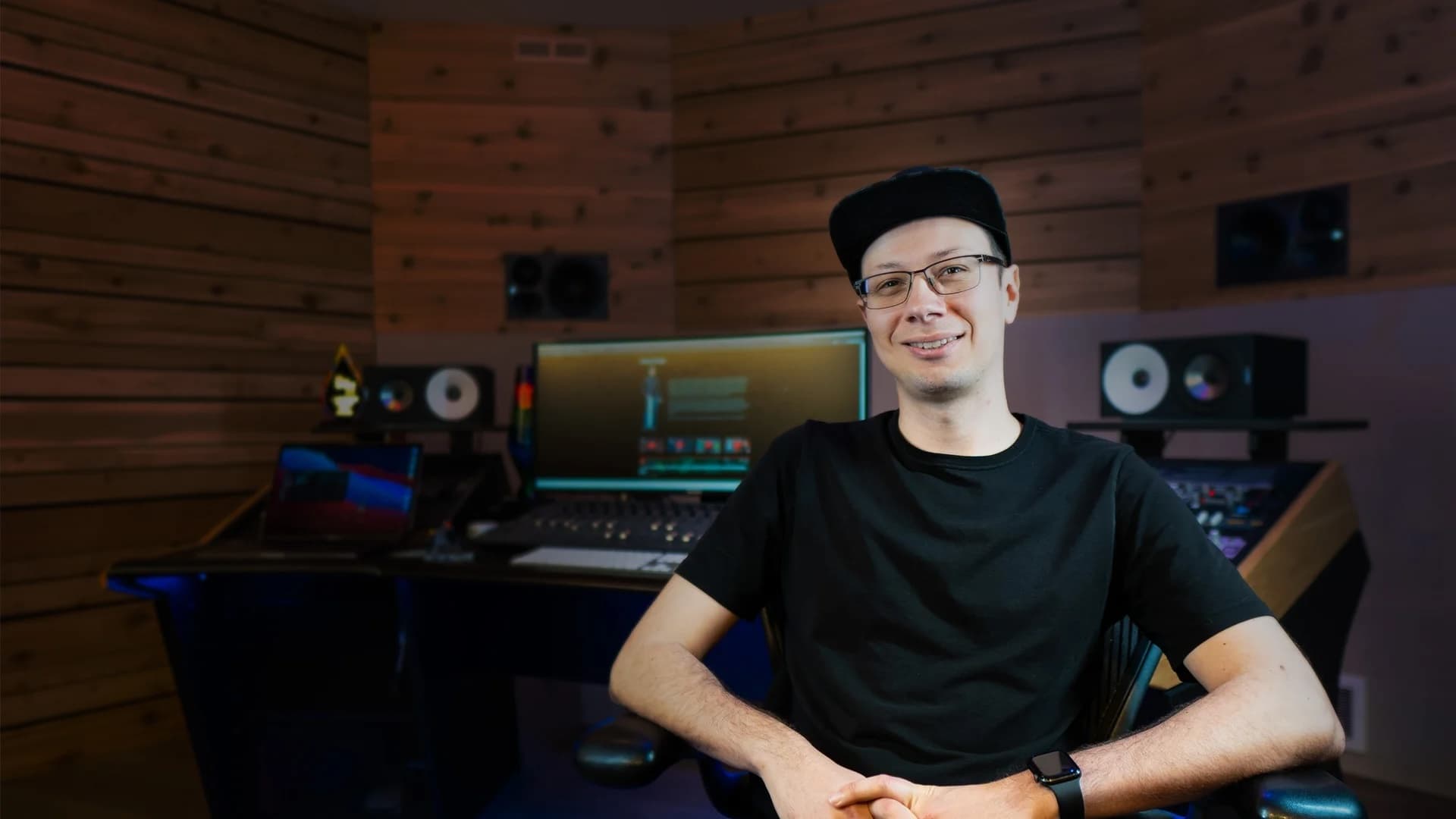
Music producer, educator, plugin developer and Full Sail University ambassador, a reference for 290k+ creators learning to make better music from home studios, not million-dollar rooms.
290k+
YouTube subscribers
20 years
teaching audio
Full Sail
Ambassador
“
After 20 years teaching audio and music production, I realized the most-recorded instrument in home studios was the one with no tools: the nylon-string guitar. Every acoustic plugin assumes steel strings, dreadnoughts, country.
I wanted to hit play and hear MY guitar sound like the records that taught me to play. Bossa, MPB, worship. So I built it.
— Chrys Gringo
After years helping creators rescue thin, muddy or noise-drowned guitar recordings, Chrys made the process simple:
1Choose Mic or DI.
2Pick a style.
3Shape the sound by ear.
No EQ curves. No endless tutorial hole. No subscription trap. A complete guitar chain you buy once for a fair price, own forever, and reach for every time your guitar needs to sound finished.
Final step
Stop fighting your guitar. Start releasing.
VST3 / AU / AAX. Installs alongside your DAW in under a minute. Buy once, own forever.
Mac & Windows · VST3 · AU · AAX · Works with Pro Tools, Logic, Ableton, FL Studio, Cubase, Reaper, Studio One.
Questions
Everything you're about to ask.
Is that the real plugin up there or just a mockup?
The interface you drove above is the real Magic Nylon UI, ported to the browser. The playground processing is visual; the real plugin runs the DSP in your DAW, with the actual captured bodies.
Does stereo mode need special gear?
Two inputs on your interface, mic in one, line in the other, the way you already record when you capture both signals. SET matches levels, aligns time and fixes polarity on its own. And in mono mode nothing changes, you keep using mic or line and the output stays stereo through the effects.
Does it work with a cheap piezo pickup?
That is exactly who it is for. In DI mode, BODY blends your line signal with the captured voice of a real nylon guitar, and the plastic sound becomes wood. And My guitar listens to your pickup for about twenty seconds so FIT can tailor the voice to it. If you record with a microphone, Mic mode handles the rest.
What if my guitar is quite different from the captured one?
It will be, and the plugin counts on that. My guitar listens to your guitar for about twenty seconds and builds its profile, and FIT tailors the captured voice using that profile, bounded and with honest volume. Nobody can hand you a perfect copy of one guitar on another: FIT corrects the part your pickup changes and leaves your instrument's character where it is.
Did the old bodies disappear? Will my sessions open silent?
The previous library was retired because it did not pass our new capture standard, so 0.10 starts over with one voice captured by us, CROSSOVER, leveled by perceived loudness, with CLASSICAL and FLAMENCO already showing in the selector. Old sessions and presets open on CROSSOVER automatically. Nothing opens silent.
Do I need to know how to mix?
No. Pick a preset in your style, hit play, move on. If you want to tweak later, it is nine clearly-named faders, not an engineering menu. And when curiosity hits, click a module's style window: the second page teaches the technical control on your own material.
My Mac is old. Will it run?
It runs from macOS 10.13 (High Sierra) up, Intel or Apple Silicon, universal binary. Version 0.3.0 fixed compatibility with older Intel Macs; if you already bought it, download the new installer for free, same license.
Is it heavy on CPU?
The full chain measures ~5% of one core on an M1 Mac at 48 kHz with a 128 buffer. Plenty of machine left for the rest of the session, and NOISE's LO mode keeps latency low for tracking.
Can I use my own captures in BODY?
Yes. Drop WAV files in the user IR folder and they show up in the Your IRs bank on the BODY page, leveled to the same perceived loudness as the factory voice, so comparing your capture with ours is comparing tone, with the volume where it belongs. Captures of your guitar, borrowed IRs, experiments: it all goes in.
Which DAWs does it work in?
All the major ones. VST3 on Windows and Mac, AU on Mac, AAX in Pro Tools. Mac (Intel and Apple Silicon) and 64-bit Windows.
Will it replace my whole guitar chain?
Yes. Magic Nylon was designed to BE the chain: Mic or DI input with the right filtering, a captured real guitar body, brightness, width, delay, ambience, cleanup, harshness control and noise solved, ending in a limiter with honest volume. It is the whole road from recorded guitar to finished guitar, inside one plugin. Generic plugins treat a guitar like any source; here every fader is born calibrated for nylon strings. Open it, pick your style's preset, and the full chain is already built.
What about steel-string guitar?
Magic Nylon is dedicated to nylon: bodies, presets and the whole calibration. For steel there's Magic Bronze, the steel sibling, with voices captured in the studio, tailored to your guitar, and style presets, mono and stereo. The two together cost $29 in the Magic Acoustic Guitars suite.
Can I get a refund?
14-day refund, no questions asked.
What will be included in the price?
A lifetime license on up to 3 of your machines, every update within the major version, and priority email support.
System requirements (macOS / Windows / formats)
macOS
macOS 10.13 (High Sierra) or later
Apple Silicon (M1–M4) or Intel 64-bit · universal binary
4 GB RAM
Host supporting VST3, AU or AAX
Windows
Windows 10 64-bit (1809+) or Windows 11
Intel or AMD 64-bit CPU
4 GB RAM
Microsoft Edge WebView2 Runtime — preinstalled on Win 11; installed automatically if missing
Host supporting VST3 or AAX
Plugin formats
VST3 (64-bit) — macOS, Windows
Audio Unit (64-bit) — macOS
AAX Native (64-bit) — Pro Tools (PACE-signed)
Audio
Sample rates: 44.1 kHz – 192 kHz
32-bit float internal processing
Zero latency, except the NOISE reduction: LO ~8 ms · HQ ~64 ms (reported to the host)
CPU usage
Full chain at ~5% of one core (M1 Mac, 48 kHz, 128 buffer)
Light enough to play and record through in LO mode
Magic Nylon by Gringo Audio — a Chrys Gringo project. Made in the United States.
The family
Most nylon players keep a steel-string within reach.
Magic Bronze is the steel sibling: the same philosophy recalibrated for bronze strings, with studio-captured guitar voices the plugin tailors to your instrument. And the two together cost $29 in the suite.